
What Are Google Search Ads?
Google Search Ads are text-based ads that appear on Google Search results when people search for keywords related to your products, services, or business.
For example, if someone searches for:
- “Google Ads agency”
- “SEO services near me”
- “emergency plumber Brisbane”
- “buy office chairs online”
- “best CRM software for small business”
They are not casually browsing. They are actively looking for information, a solution, a provider, or a product.
That is what makes Search Ads powerful: they help businesses appear when users are already showing intent.
Unlike visual campaigns such as Demand Gen or Video Ads, Search Ads are driven mainly by keywords, search intent, ad relevance, landing page quality, bidding, and conversion tracking.
For many businesses, Search Campaigns are one of the best starting points in Google Ads because they focus on demand that already exists.
Internal link: New to campaign types? Start with our guide to the different types of Google Ads.
Why Search Ads Matter
Search Ads are valuable because they connect your business with people at the moment they are actively searching.
This makes them especially useful for lead generation, local services, B2B services, ecommerce, SaaS, education, healthcare, home services, and other industries where people search before they buy or enquire.
A strong Search Campaign can help you:
- Capture high-intent traffic.
- Generate leads or sales faster than organic SEO alone.
- Test which keywords and messages convert.
- Control which search terms you target.
- Send users to highly relevant landing pages.
- Measure performance through conversions, CPA, ROAS, and lead quality.
However, Search Ads are not automatically profitable. If your keywords are too broad, your ads are generic, your landing page is weak, or your conversion tracking is inaccurate, your budget can disappear quickly.
The goal is not just to get clicks. The goal is to attract the right searches, send them to the right page, and convert them into qualified leads or customers.
How Google Search Ads Work
At a basic level, Google Search Ads work like this:

- A user searches on Google.
- Google checks whether your keywords, ads, and targeting are eligible for that search.
- Eligible ads enter the ad auction.
- Google considers factors such as bid, ad quality, expected impact of assets, relevance, and context.
- The most relevant ads may appear on the search results page.
- The advertiser usually pays when someone clicks the ad.
This means Search Ads are not simply about bidding the most. A higher bid can help, but it does not guarantee better performance. Google also looks at ad relevance, landing page experience, expected click-through rate, and overall ad quality.
A well-structured campaign with strong relevance can often compete more efficiently than a poorly structured campaign with a bigger budget.
When Should You Use Google Search Ads?
Search Ads are best when your audience already knows what they want or is actively searching for a solution.
You should consider Search Ads if:
- People search for your product or service on Google.
- Your offer solves a clear problem.
- You want leads, calls, bookings, quote requests, or purchases.
- You can send traffic to a relevant landing page.
- You have or can set up accurate conversion tracking.
- You want more control over keyword intent than fully automated campaign types.
Search Ads are often especially effective for businesses with clear search demand, such as agencies, consultants, trades, clinics, ecommerce stores, software companies, schools, legal services, accounting firms, and local service providers.
When Search Ads May Not Be the Best First Choice
Search Ads are powerful, but they are not always the best first campaign type.
They may be less effective if:
- Your product category is completely new and people are not searching for it yet.
- Your search volume is very low.
- Your product requires heavy visual explanation.
- Your offer is impulse-driven rather than intent-driven.
- Your landing page is not ready.
- You cannot track conversions properly.
- Your industry CPC is high and your budget is too small to collect useful data.
In these cases, Demand Gen, Video Ads, Performance Max, or a broader awareness strategy may be needed before Search Ads can perform well.
For example, if you are launching a new product that people do not know exists, you may need Demand Gen or YouTube Ads to create demand first. Search can then capture users once they begin searching for your brand, category, or solution.
Search Intent: The Foundation of Search Ads
The most important concept in Search Ads is search intent.
Search intent means the reason behind a user’s search. Two people can search similar keywords but have very different goals.
For example:
- “what is Google Ads” shows informational intent.
- “Google Ads agency” shows commercial intent.
- “Google Ads management pricing” shows stronger buying intent.
- “hire Google Ads specialist” shows direct conversion intent.
If you treat all of these keywords the same, your campaign will become inefficient.
A good Search Ads strategy separates keywords by intent so that each ad group, ad copy, and landing page can match what the user actually wants.
Main Types of Search Intent
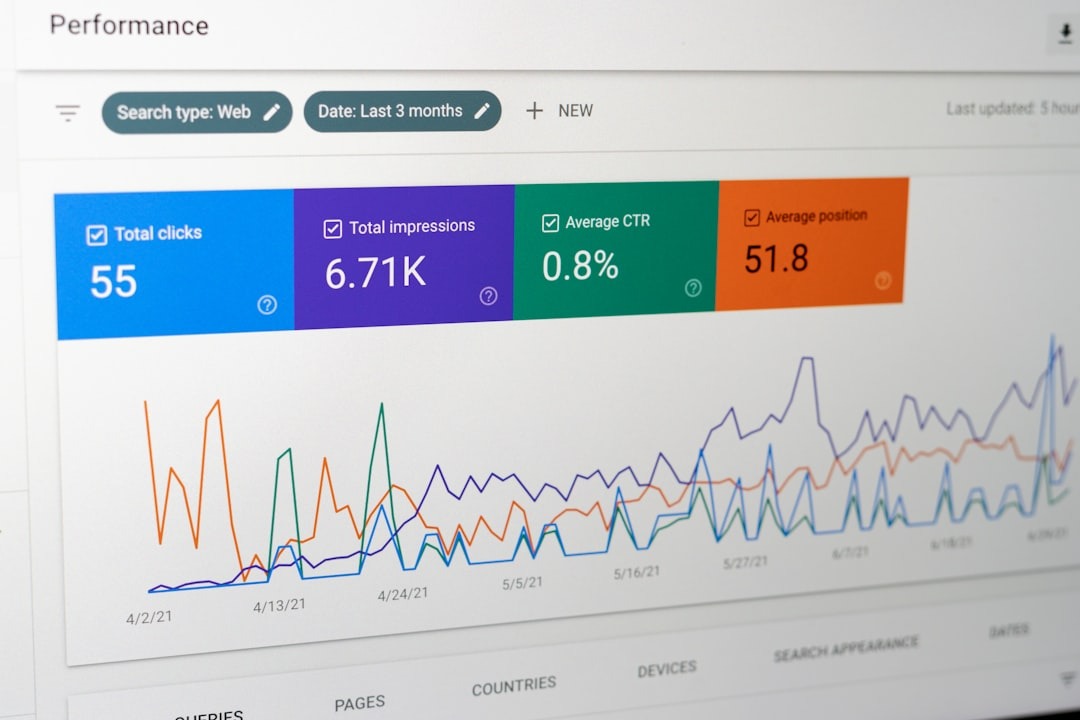
1. Informational Intent
The user wants to learn something.
Examples:
- “what are Google Search Ads”
- “how does Google Ads work”
- “SEO vs Google Ads”
- “how to reduce cost per click”
Informational keywords can be useful for education and remarketing, but they usually convert at a lower rate than commercial keywords.
2. Commercial Investigation Intent
The user is comparing options.
Examples:
- “best Google Ads agency”
- “Google Ads agency reviews”
- “Google Ads management services”
- “Google Ads freelancer vs agency”
These searches can be valuable because the user is closer to making a decision.
3. Transactional Intent
The user is ready to act.
Examples:
- “hire Google Ads agency”
- “Google Ads management quote”
- “book dental appointment”
- “emergency plumber near me”
- “buy standing desk online”
These are often the highest-value keywords for Search Campaigns.
4. Navigational Intent
The user is searching for a specific brand, company, website, or product.
Examples:
- “Heidigital Google Ads”
- “Google Ads login”
- “Nike running shoes”
- “HubSpot pricing”
Branded searches often convert well, but they need to be managed carefully depending on your organic presence, competitors, and brand protection strategy.
How to Structure a Google Search Campaign
A strong Search Campaign structure makes it easier to control budget, match ads to intent, improve relevance, and measure performance.
A simple structure could look like this:
Campaign 1: Brand Search
Targets people searching for your brand name.
Example keywords:
- “Heidigital”
- “Heidigital Google Ads”
- “Heidigital marketing agency”
Campaign 2: Core Service Search
Targets high-intent service keywords.
Example ad groups:
- Google Ads agency
- Google Ads management
- PPC agency
- Search Ads management
Campaign 3: Local Search
Targets location-based searches.
Example keywords:
- “Google Ads agency Brisbane”
- “PPC agency Australia”
- “digital marketing agency near me”
Campaign 4: Competitor or Comparison Search

Targets competitor-related or comparison searches, if appropriate and compliant.
Example keywords:
- “best Google Ads agency”
- “Google Ads agency comparison”
- “alternative to [competitor]”
Campaign 5: Informational or Content Search
Targets educational searches for top-of-funnel users.
Example keywords:
- “how to improve Google Ads performance”
- “why Google Ads not converting”
- “Search Ads vs Performance Max”
Not every account needs all of these campaigns. The right structure depends on your business, budget, offer, and search volume.
For smaller accounts, you may start with only one or two tightly focused campaigns. For larger accounts, you may separate campaigns by service, location, product category, funnel stage, or profitability.
Keyword Match Types Explained
Keyword match types control how closely a user’s search needs to match your keyword for your ad to be eligible.
The three main keyword match types are:
- Broad match
- Phrase match
- Exact match
Each has a different level of reach and control.
Broad Match

Broad match gives Google the most flexibility. Your ad can show for searches related to your keyword, even if the exact words are not in the query.
Example keyword:
google ads agency
Potential searches may include:
- “ppc company”
- “paid search marketing services”
- “digital advertising agency”
- “hire someone to manage Google Ads”
Broad match can help discover new search opportunities, especially when paired with Smart Bidding and strong conversion tracking. However, it can also bring irrelevant traffic if your account lacks enough conversion data, negative keywords, or clear landing page signals.
When to use broad match
Use broad match when:
- You have accurate conversion tracking.
- You use Smart Bidding.
- You have enough conversion data.
- You regularly review search terms.
- You have a strong negative keyword process.
Broad match is not ideal for accounts with weak tracking, low budgets, or unclear conversion quality.
Phrase Match
Phrase match gives more control than broad match but more flexibility than exact match. Your ad can show for searches that include the meaning of your keyword.
Example keyword:
“google ads agency”
Potential searches may include:
- “best google ads agency”
- “google ads agency for ecommerce”
- “affordable google ads agency”
- “google ads agency near me”
Phrase match is often a practical starting point for many Search Campaigns because it gives a balance between reach and control.
When to use phrase match
Use phrase match when:
- You want relevant variations of your core keywords.
- You are testing new ad groups.
- You want more control than broad match.
- Your budget is limited but you still need some reach.
Exact Match
Exact match gives the highest level of control. Your ad can show for searches that have the same meaning or intent as your keyword.
Example keyword:
[google ads agency]
Potential searches may include:
- “google ads agency”
- “google ad agency”
- “agency for google ads”
Exact match is useful for high-value keywords where you want tighter control over spend and intent.
When to use exact match
Use exact match when:
- You want tighter control.
- The keyword is expensive.
- The search intent is highly valuable.
- You want to isolate performance for specific terms.
- You have limited budget and need precision.
Exact match is often useful for core commercial keywords, branded terms, and high-converting queries found in your search terms report.
Negative Keywords: The Budget Saver
Negative keywords prevent your ads from showing for irrelevant searches.
For example, if you sell premium Google Ads management services, you may want to exclude searches like:
- free
- course
- jobs
- template
- DIY
- internship
- meaning
- definition
- salary
Negative keywords help you reduce wasted spend, improve relevance, and protect your budget from low-quality traffic.
There are different types of negative match types, including negative broad, negative phrase, and negative exact. These do not behave exactly the same as positive keyword match types, so they should be reviewed carefully.
Common negative keyword categories
For many lead generation campaigns, common negative keyword categories include:
- Job seekers: jobs, salary, career, internship.
- Education-only searches: course, certification, tutorial, PDF.
- Free seekers: free, template, sample.
- DIY searches: how to, do it yourself.
- Irrelevant locations: cities or countries you do not serve.
- Low-fit audiences: cheap, student, beginner, if they do not match your offer.
Negative keyword management is not a one-time task. It should be part of weekly or biweekly optimization.
Responsive Search Ads
Responsive Search Ads are the standard ad format for Search Campaigns. Instead of writing one fixed text ad, you provide multiple headlines and descriptions. Google then tests different combinations and serves the versions predicted to be most relevant.

A strong Responsive Search Ad should include:
- Keywords that match the ad group intent.
- Clear service or product benefits.
- Trust signals.
- Location, if relevant.
- A specific offer or differentiator.
- A strong call to action.
Example Responsive Search Ad Structure
For a Google Ads agency, your headlines could include:
- Google Ads Agency
- Google Ads Management Services
- Improve Your Google Ads ROI
- Paid Search Strategy That Converts
- Google Ads Audit Available
- Reduce Wasted Ad Spend
- PPC Management for Growing Brands
- Work With Heidigital
- Get More Qualified Leads
- Google Ads Experts
Descriptions could include:
- Get a structured Google Ads strategy built around leads, sales, and measurable business growth.
- Heidigital helps businesses reduce wasted spend, improve tracking, and scale profitable campaigns.
- Book a Google Ads audit to identify missed opportunities and improve campaign performance.
- Build Search, Shopping, and Performance Max campaigns aligned with your business goals.
Responsive Search Ads Best Practices
Use a mix of keyword-focused headlines, benefit-focused headlines, and CTA-focused headlines.
Avoid making every headline too similar. If all headlines say almost the same thing, Google has fewer meaningful combinations to test.
Also avoid overusing pinned headlines unless you have a specific compliance or brand reason. Pinning can reduce flexibility, although it can be useful when certain messages must appear.
Landing Pages for Search Ads
A Search Ad is only as good as the page it sends traffic to.
If someone searches “Google Ads agency for ecommerce” and lands on a generic homepage with no ecommerce messaging, the experience is weak. The user may leave, and the campaign may struggle.
A strong Search Ads landing page should:
- Match the keyword and ad promise.
- Clearly explain the offer.
- Show who the service is for.
- Include trust signals.
- Load quickly.
- Work well on mobile.
- Have a clear call to action.
- Reduce friction in the form or booking process.
- Include proof such as testimonials, case studies, logos, reviews, or results.
For service businesses, a landing page should answer:
- What do you offer?
- Who is it for?
- Why should the user trust you?
- What results can you help with?
- What happens after they enquire?
- How can they contact you?
For ecommerce, a product or category page should show:
- Product details.
- Price.
- Availability.
- Shipping information.
- Reviews.
- Return policy.
- Clear product images.
- Easy checkout flow.
Quality Score and Ad Quality

Quality Score is a diagnostic tool in Google Ads that helps advertisers understand the quality of their Search keywords, ads, and landing pages.
It is shown on a 1–10 scale at the keyword level and is based on three main components:
- Expected click-through rate.
- Ad relevance.
- Landing page experience.
Quality Score itself is not the same as the real-time ad auction score, but it can help identify where your campaign needs improvement.
If your Quality Score is low, it may indicate that:
- Your ad does not match the keyword intent.
- Your landing page is not relevant enough.
- Your expected CTR is weak.
- Your ad group is too broad.
- Your user experience needs improvement.
Instead of trying to “game” Quality Score, use it as a diagnostic tool. The real goal is to improve user experience, ad relevance, and conversion outcomes.
Bidding Strategies for Search Ads
Search Ads can use different bidding strategies depending on your goal and data quality.
Common bidding strategies include:
Manual CPC
Manual CPC gives you more direct control over bids. It can be useful for early testing, small accounts, or situations where conversion tracking is not mature.
However, it requires more manual management and may not scale as efficiently as automated bidding.
Maximize Clicks
Maximize Clicks tries to get as many clicks as possible within your budget. It can be useful for traffic goals, but it is not always ideal for lead generation or sales because it optimizes for clicks rather than conversions.
Maximize Conversions
Maximize Conversions uses Google’s automated bidding to get as many conversions as possible within your budget.
It works best when conversion tracking is accurate and your conversion actions reflect real business value.
Target CPA
Target CPA aims to generate conversions at or near a target cost per acquisition.
This can be effective for lead generation when you know how much you can afford to pay for a qualified lead or customer.
Target ROAS
Target ROAS is more common for ecommerce or revenue-based accounts. It optimizes toward conversion value rather than just conversion volume.
This strategy requires accurate revenue tracking or conversion value data.
How to choose a bidding strategy
If your account is new and has little data, you may start with Manual CPC or Maximize Clicks for controlled testing, then move toward conversion-based bidding once tracking and data are reliable.
If your account already has meaningful conversion data, Maximize Conversions, Target CPA, or Target ROAS may be more appropriate.
The bidding strategy should always match your business goal and data quality.
Conversion Tracking for Search Ads
Conversion tracking is one of the most important parts of Search Ads.
Without accurate tracking, you cannot know which keywords, ads, or campaigns are generating results. Worse, automated bidding may optimize toward the wrong actions.
Common Search Ads conversions include:
- Form submissions.
- Phone calls.
- Bookings.
- Purchases.
- Quote requests.
- Demo requests.
- Newsletter signups.
- Account registrations.
- Chat leads.
- Offline sales imported back into Google Ads.
Not all conversions have equal value. A phone call from a qualified prospect may be worth more than a newsletter signup. A purchase may be worth more than an add-to-cart. A demo request from a decision-maker may be worth more than a low-quality form submission.
For better optimization, separate primary and secondary conversions.
Primary conversions
These are the actions you want Google Ads to optimize toward.
Examples:
- Qualified lead form.
- Purchase.
- Booking.
- Phone call over a certain duration.
- Demo request.
Secondary conversions
These are useful for observation but should not always guide bidding.
Examples:
- Page views.
- Button clicks.
- Time on site.
- Scroll depth.
- Newsletter signup.
If you count low-value actions as primary conversions, Google may optimize for easy actions instead of meaningful business results.
Search Ads for Lead Generation

For lead generation, Search Ads should focus on quality, not just volume.
A campaign that generates 100 cheap leads may look good in Google Ads, but it can still fail if most leads are unqualified.
To improve lead quality:
- Use high-intent keywords.
- Add negative keywords aggressively.
- Qualify users on the landing page.
- Use clear service descriptions.
- Include price ranges if appropriate.
- Track phone calls and form submissions properly.
- Import offline lead quality data where possible.
- Review actual enquiries, not just Google Ads conversions.
For B2B and professional services, lead quality is often the difference between a profitable campaign and wasted spend.
Search Ads for Ecommerce
For ecommerce, Search Ads can support Shopping and Performance Max by targeting high-intent queries that deserve more control.
Useful ecommerce Search Campaigns include:
- Brand search campaigns.
- Product category campaigns.
- Best-seller campaigns.
- Competitor comparison campaigns.
- High-margin product campaigns.
- Promotional campaigns.
- Search campaigns for products with strong query demand.
For ecommerce Search Ads, make sure the landing page matches the query. If someone searches for “men’s black running shoes,” sending them to a broad homepage will likely perform worse than sending them to a relevant product category or filtered collection page.
Search Ads can also be useful for testing messaging before expanding into Shopping, PMax, or Demand Gen.
Common Search Ads Mistakes
1. Targeting keywords that are too broad
Broad keywords can attract irrelevant searches and waste budget. Start with higher-intent keywords before expanding.
2. Ignoring negative keywords
Without negative keywords, your ads may show for searches that have little or no commercial value.
3. Sending traffic to the homepage
A homepage is rarely the best landing page for high-intent Search traffic. Use dedicated service pages, product pages, or landing pages.
4. Mixing too many intents in one ad group
If one ad group contains too many different keyword themes, your ad copy becomes generic and less relevant.
5. Optimizing for clicks instead of conversions
High CTR and low CPC do not always mean good performance. Focus on qualified leads, purchases, CPA, ROAS, and revenue.
6. Using automated bidding with poor tracking
Smart Bidding needs reliable conversion data. If your conversion setup is wrong, the algorithm will optimize toward the wrong outcomes.
7. Not reviewing search terms
Search term reports show what users actually searched before clicking. Reviewing them helps you find new keywords, add negatives, and improve relevance.
8. Not testing landing pages
Small landing page improvements can have a major impact on conversion rate and cost per acquisition.
Search Ads Optimization Checklist
Use this checklist when reviewing a Search Campaign:
- Are campaigns separated by goal, service, product, or intent?
- Are ad groups tightly themed?
- Are keywords mapped to relevant landing pages?
- Are match types appropriate for budget and data quality?
- Are negative keywords updated regularly?
- Are Responsive Search Ads using varied headlines and descriptions?
- Do ads include clear benefits and calls to action?
- Is conversion tracking accurate?
- Are primary and secondary conversions separated?
- Are phone calls tracked properly?
- Are search terms reviewed weekly or biweekly?
- Are low-quality queries excluded?
- Are landing pages fast, relevant, and mobile-friendly?
- Is bidding aligned with campaign goals?
- Is lead quality reviewed outside Google Ads?
How Search Ads Fit With Other Google Ads Campaign Types
Search Ads work best when they are part of a broader strategy.
Search Ads and Performance Max
Search gives you control over high-intent keywords. Performance Max helps expand reach across Google channels. In many accounts, both campaign types should work together.
Search Ads and Shopping Ads
For ecommerce, Shopping Ads are powerful for product visibility, while Search Ads can target brand, category, competitor, and high-intent product queries.
Search Ads and Demand Gen
Demand Gen can create interest before users search. Search Ads can then capture that demand once users begin looking for your brand, product, or category.
Search Ads and Video Ads
Video can educate users and build trust. Search can capture users when they move closer to action.
Search Ads and SEO
SEO and Search Ads can support each other. SEO builds long-term organic visibility, while Search Ads provide faster testing, immediate visibility, and keyword performance data.
FAQ About Google Search Ads
Are Google Search Ads worth it?
Google Search Ads can be worth it when people actively search for your product or service, your landing pages are strong, and your conversion tracking is accurate. They are especially effective for capturing high-intent demand.
How much do Google Search Ads cost?
The cost depends on your industry, competition, location, keyword intent, Quality Score, and bidding strategy. Some industries have low CPCs, while competitive sectors such as legal, finance, insurance, and B2B services can be much more expensive.
What is the difference between Search Ads and Display Ads?
Search Ads appear when people search on Google. Display Ads appear across websites, apps, and placements in the Google Display Network. Search captures existing intent, while Display is usually better for awareness and remarketing.
What is the difference between Search Ads and Performance Max?
Search Ads are keyword-based and offer more control over search intent. Performance Max uses Google AI to serve ads across multiple Google channels. Search is better for direct control; PMax is better for broader conversion scaling when tracking is strong.
Should I use broad match keywords?
Broad match can work well with Smart Bidding and accurate conversion tracking, but it can waste budget if used too early or without regular search term reviews. Smaller or newer accounts may want to start with phrase and exact match before expanding.
How many keywords should I use in a Search ad group?
There is no fixed number. The better question is whether the keywords share the same intent. A small, tightly themed ad group is usually better than a large ad group with mixed intent.
What is a good conversion rate for Search Ads?
A good conversion rate depends on your industry, offer, landing page, keyword intent, and conversion definition. Instead of focusing only on averages, compare conversion rate with lead quality, CPA, ROAS, and revenue.
Should I send Search Ads traffic to my homepage?
Usually, no. Dedicated landing pages, service pages, product pages, or category pages often perform better because they match the user’s search intent more closely.
Conclusion
Google Search Ads are one of the most powerful Google Ads campaign types because they capture users who are already searching for a product, service, or solution.
But successful Search Ads require more than choosing keywords and writing ads. You need strong search intent mapping, a clear campaign structure, relevant landing pages, accurate conversion tracking, negative keyword management, and ongoing optimization.
Search Ads are often the best starting point for businesses that want qualified leads, bookings, calls, purchases, or measurable demand capture. They also work well alongside Performance Max, Shopping Ads, Demand Gen, Video Ads, and SEO.
If your business wants to generate more qualified leads or sales from high-intent Google searches, Heidigital can help build, audit, and optimize your Search Campaigns with a strategy focused on real business outcomes.
Need help improving your Google Search Ads? Contact Heidigital to audit your campaign structure, reduce wasted spend, and turn high-intent searches into better leads and sales.
Source Note
This guide is based on official Google Ads documentation, Google Ads Help Center guidance, and practical campaign management experience across lead generation and ecommerce accounts. Google Ads features, bidding strategies, keyword matching, and reporting workflows may change over time, so advertisers should review official Google Ads documentation and their account settings before launching or restructuring campaigns.
Written by: Heidigital
Last updated: June 26, 2026